
Simple web app for creating packing lists for alpine adventures
 sebastian
3badc35adf
Fix empty Zombie-Apokalypse list and translate its items to German
sebastian
3badc35adf
Fix empty Zombie-Apokalypse list and translate its items to German
|
2 týždňov pred | |
|---|---|---|
| admin | 2 týždňov pred | |
| img | 5 mesiacov pred | |
| migrations | 2 týždňov pred | |
| screenshots | 5 mesiacov pred | |
| .gitignore | 3 týždňov pred | |
| .htaccess | 3 týždňov pred | |
| README.md | 2 týždňov pred | |
| config.sample.php | 3 týždňov pred | |
| db.php | 3 týždňov pred | |
| favicon.ico | 5 mesiacov pred | |
| index.php | 2 týždňov pred | |
| list.php | 3 týždňov pred | |
| manifest.webmanifest | 5 mesiacov pred | |
| offline.html | 3 týždňov pred | |
| packing.php | 2 týždňov pred | |
| schema.sql | 2 týždňov pred | |
| sw.js | 3 týždňov pred |
README.md
PackIt
PackIt is a smart packing list generator for outdoor activities. Select the activities you're planning — camping, skiing, kayaking, and more — and PackIt produces a deduplicated, grouped checklist of everything you need to bring.
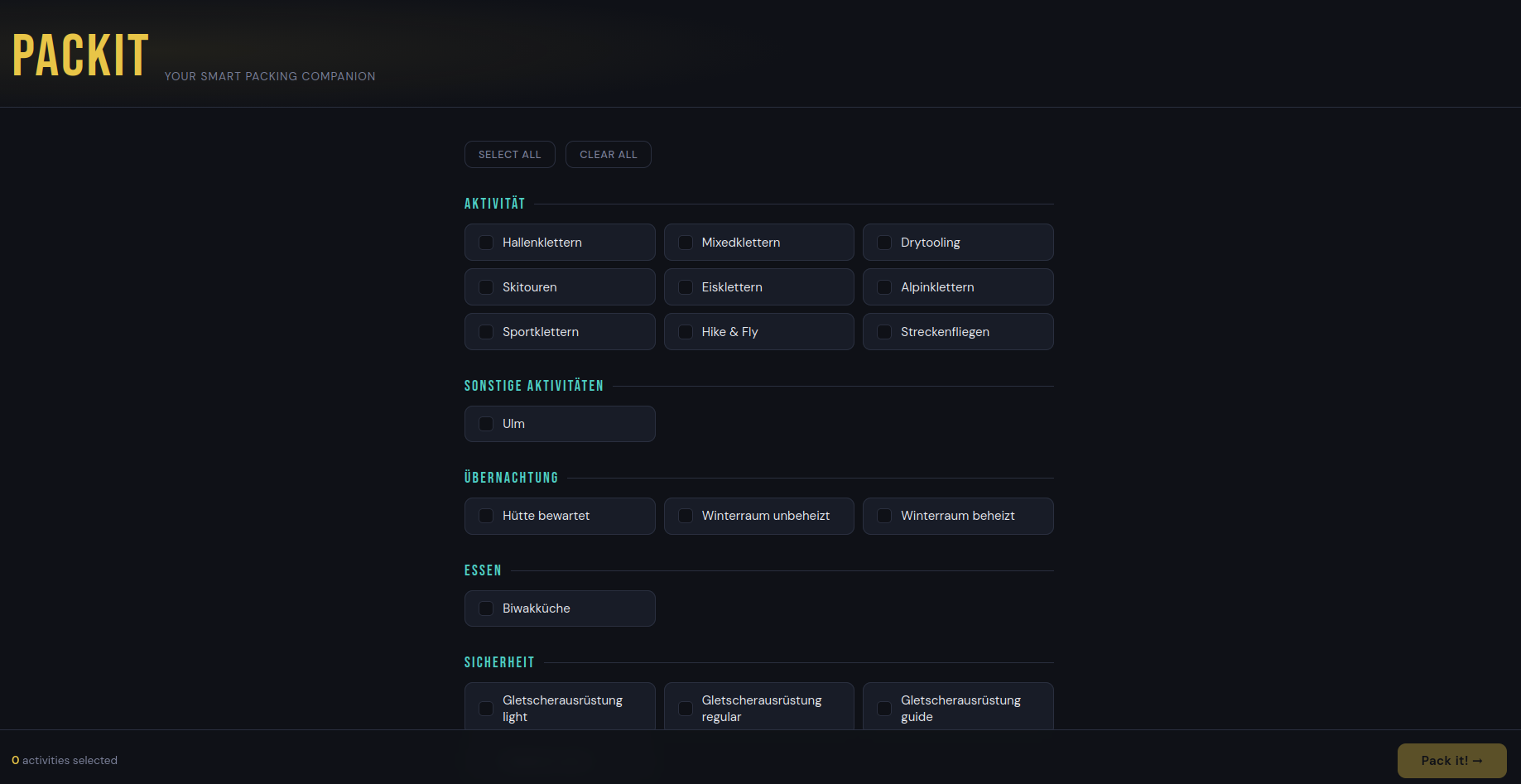
Screenshots
Desktop
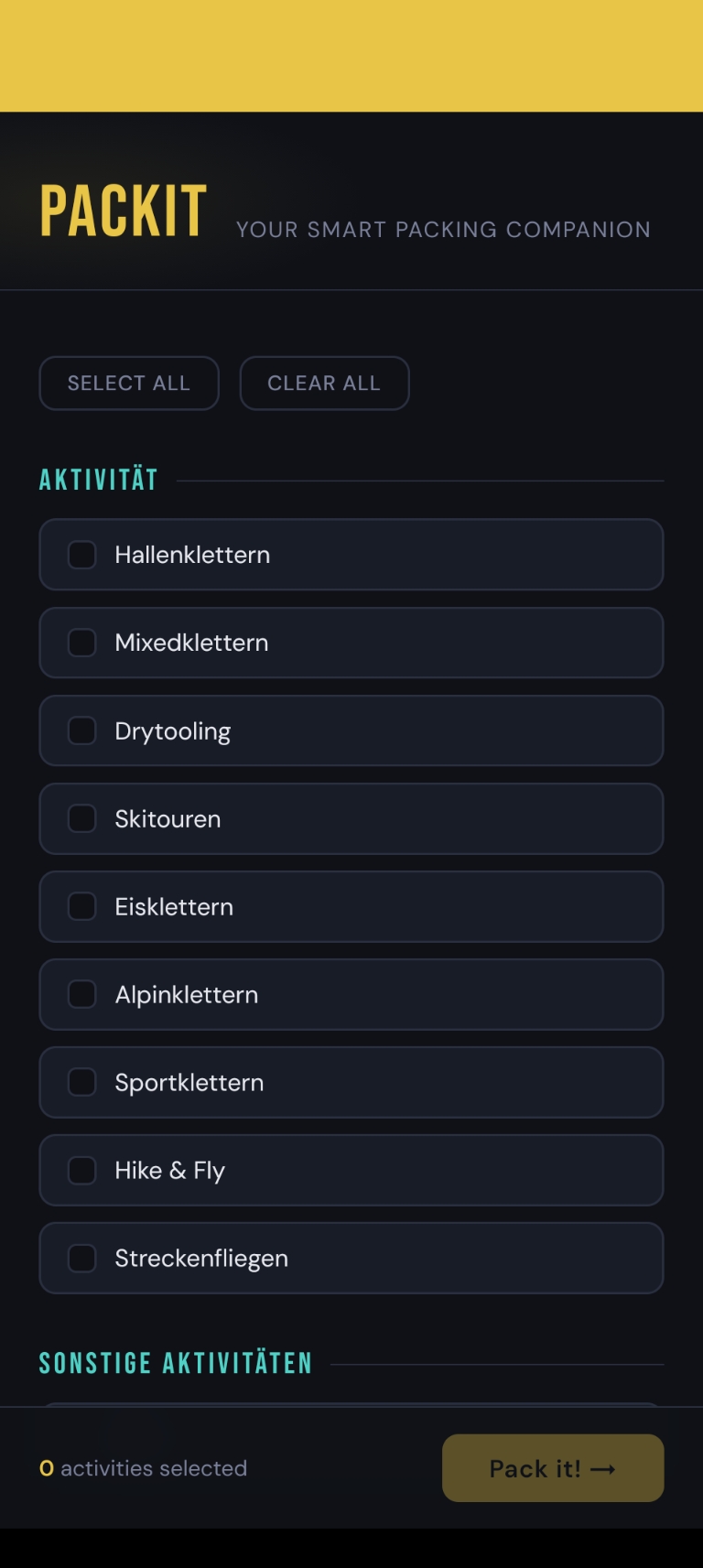
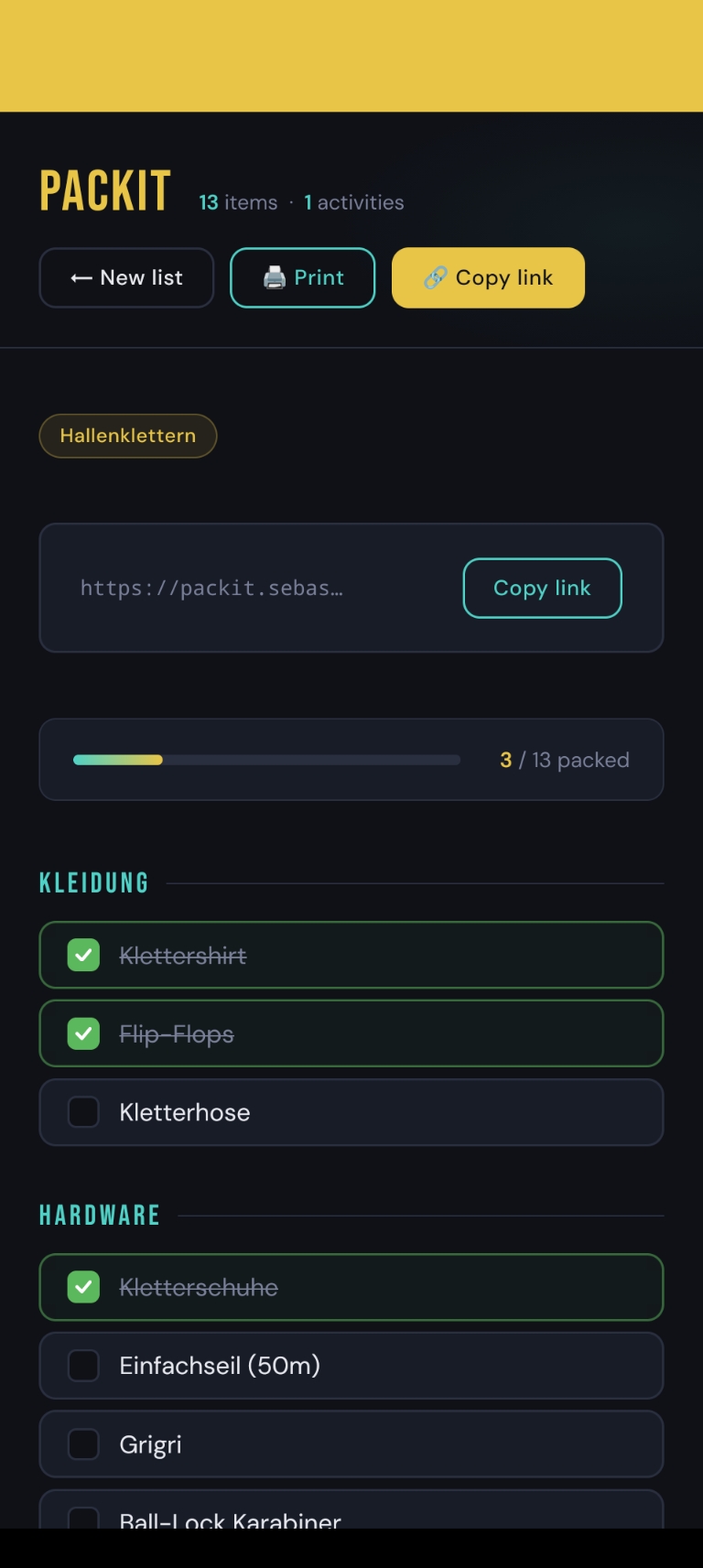
Mobile
| Activity selection | Packing list |
|---|---|
 |
 |
How it works
- Choose your activities — Pick one or more activities from the activity selection page. Activities are organised into groups (e.g. Overnight, Water Activities, Winter Sports).
- Generate your list — PackIt merges all item requirements across your selected activities, removing duplicates, and groups the result by category (Clothing, Shelter, Navigation, etc.). When the same item is mapped to multiple activities with different quantities, the highest quantity wins.
- Pack and check off — Work through the interactive checklist, ticking items as you pack them. A progress bar tracks how far along you are, and your ticks are remembered on that device, so packing can be spread over several sittings.
- Share or print — Every list gets a permanent, shareable short URL. You can also print the list directly from the browser.
Features
- Activity-based list generation — Items are mapped to activities in the database. Selecting multiple activities produces a single merged list with no duplicate entries.
- Per-mapping quantities — Each activity-to-item mapping carries a quantity. Items needed in multiples (e.g. 2× Water bottle) are rendered with a leading multiplier, and merging across activities keeps the largest required quantity.
- Grouped items — Items are organised into logical categories (Clothing, Shelter, Navigation, Medical, Water & Food, Safety Gear) for easy scanning.
- Interactive checklist — Click any item to mark it as packed. Checked items are visually struck through and a progress bar updates in real time. Ticks are stored in the browser under the list's hash and restored on the next visit; a Reset button appears once something is ticked. Nothing is sent to the server, so each device keeps its own progress, and a browser with site data blocked simply falls back to not remembering.
- Nagging progress messages — A line under the progress bar comments on how the packing is going, from "The tent won't pack itself." at zero to "Just the Stirnlampe left." for the final item. The line stays the same until you reach the next stage, so it doesn't change on every tick.
- Hidden activities — Activities flagged as hidden in the admin panel are left off the selection page. They appear when someone clicks Pack it! ten times in quick succession (at most 0.5 s between clicks) while nothing is selected. The revealed activity is pre-selected, and its lists and short links work like any other. The sample data hides one: Zombie-Apokalypse.
- Shareable short URLs — Each unique activity selection is stored under a deterministic 5-character hash, producing a permanent link short enough to share comfortably over chat or read out loud.
- Installable PWA — A web app manifest, theme color, and maskable icons let PackIt be installed to the home screen on mobile or as a standalone app on desktop.
- Works offline — A service worker (
sw.js) caches the app shell and every list you have opened, which is what makes an installed PackIt useful at the trailhead. Pages are network-first, so an online visit always reflects the latest admin changes and falls back to the cached copy only when the network is gone. A list never opened on the device showsoffline.htmlinstead. The admin panel is deliberately never cached. - Collision-safe short links — Links are a 5-character SHA-256 prefix. If a prefix is ever claimed by a different selection, that selection transparently gets a 6-character link (then 7, …) rather than failing, so links stay short without ever pointing at the wrong list.
- Print support — The packing list page has a print stylesheet that removes UI chrome and renders a clean black-and-white checklist.
- Admin panel — A password-protected admin interface at
/admin/lets you manage all content:- Activity groups and activities, including the Hidden flag for easter-egg activities
- Item groups and items
- Activity-to-item mappings (with quantities)
- Inline editing on every list page — edit fields render in place within the table column, so the page no longer jumps to the top on each edit
- Dashboard with counts of all entities
- CSRF-protected: every form carries a per-session token that the matching handler verifies, so a page an admin merely visits cannot post changes on their behalf
- Session cookie is
HttpOnly,SameSite=Strict, scoped to/admin/, and markedSecureover HTTPS - Failed logins are logged and throttled (see below)
Tech stack
- Backend: PHP with PDO
- Database: MySQL (schema in
schema.sql) - Frontend: Vanilla HTML/CSS/JS — no build step required
- PWA:
manifest.webmanifestplus icons inimg/
Setup
Create the database by running
schema.sql:mysql -u <user> -p < schema.sqlCopy the config template and fill in your database credentials:
cp config.sample.php config.phpconfig.phpis git-ignored and excluded fromdeploy.sh— it never belongs in the repository. On a real server, place it one directory above the web root.Serve the project with any PHP-capable web server (Apache, Nginx, PHP built-in server). The included
.htaccessensures the.webmanifestMIME type is served correctly, denies HTTP access toconfig.php,config.sample.phpand.sqlfiles, and keepssw.jsout of the browser cache.Open the site in a browser and start selecting activities. On mobile, use the browser's "Add to Home Screen" option to install PackIt as an app.
Offline support needs a secure context: browsers only register a service worker over HTTPS (or on localhost). Everything else works over plain HTTP.
Error reporting
config.php sets $appEnv. Leave it at production on a live site: errors are written to the PHP error log and visitors see a generic message. Set it to development to get the detail on screen instead. Anything other than the exact string development is treated as production, so a typo fails closed.
Upgrading an existing install
Run any migrations your database predates, in order:
mysql -u <user> -p <your-database> < migrations/001_hardening.sql
mysql -u <user> -p <your-database> < migrations/002_hidden_activities.sql
mysql -u <user> -p <your-database> < migrations/003_zombie_items_german.sql
It adds the login_attempts table, narrows selection_hashes.hash to VARCHAR(16), and indexes activity_ids. It also deletes any rows still holding a 64-character hash from the original link scheme — those links have been unreachable since links were shortened to 5 characters, and the table is only a cache of selection → hash, so anything deleted is recreated by re-picking the activities.
002 adds the activities.hidden column and the hidden zombie activity. Its item lookups only match the English sample-data names, so on a database with its own item groups the activity ends up empty. 003 fixes that and renames everything to German (Zombie-Apokalypse in Überleben). Each item goes into its German group (Kleidung, Essen, Küche, Elektronik, Sicherheit, Kleinzeug) or, if that group doesn't exist, into a new Zombie-Abwehr group. Items you already have, such as Stirnlampe or EH-Set, are reused, and the English items 002 created are removed. It is safe to run more than once.
Admin password
Admin credentials live in the admin_users table, not in config.php. The password_hash column stores a bcrypt hash produced by PHP's password_hash(); admin/login.php verifies the submitted password against it with password_verify().
schema.sql seeds a default account:
| Username | Password |
|---|---|
admin |
packit-admin |
Change it after first login. There is no UI for this yet, so update the row directly — generate a new hash and replace it in the database:
php -r "echo password_hash('your-new-password', PASSWORD_BCRYPT), PHP_EOL;"
UPDATE admin_users
SET password_hash = '<paste-hash-here>'
WHERE username = 'admin';
Login throttling
Failed logins are recorded in login_attempts. After 10 failures from one IP within 15 minutes that IP is refused until the window passes. Repeated failures against a username add a growing delay (up to 5 seconds) instead of a lockout — locking the username would let anyone shut the real admin out of their own panel. A successful login clears that IP's history, and rows older than a day are pruned on each write.
Project structure
index.php              Activity selection page
list.php               Processes selection, stores hash, redirects
packing.php            Displays the shareable packing list
db.php                 Bootstrap: error handling + PDO connection helper
config.php             Database credentials (git-ignored, create from the sample)
config.sample.php      Documented config template
schema.sql             Database schema and sample data
migrations/            One-off SQL upgrades for existing databases
sw.js                  Service worker (offline support)
offline.html           Shown when an unvisited list is opened offline
manifest.webmanifest   PWA manifest (installable web app)
.htaccess              Manifest MIME type, blocks config/SQL, no-cache for sw.js
img/                   App icons (192/512, plus maskable variants)
admin/
  index.php            Dashboard
  activities.php       Manage activities
  activity_groups.php  Manage activity groups
  items.php            Manage items
  item_groups.php      Manage item groups
  mappings.php         Manage activity-to-item mappings (with quantities)
  layout.php           Shared admin layout
  login.php / auth.php Authentication, CSRF helpers, login throttling